

Skip to content

COM · Campaign Manager

Steer your commercial campaigns

Structure your commercial action plan, organise promotional operations, select offers and products, and coordinate everyone involved in a collaborative environment directly connected to your content and your publications.

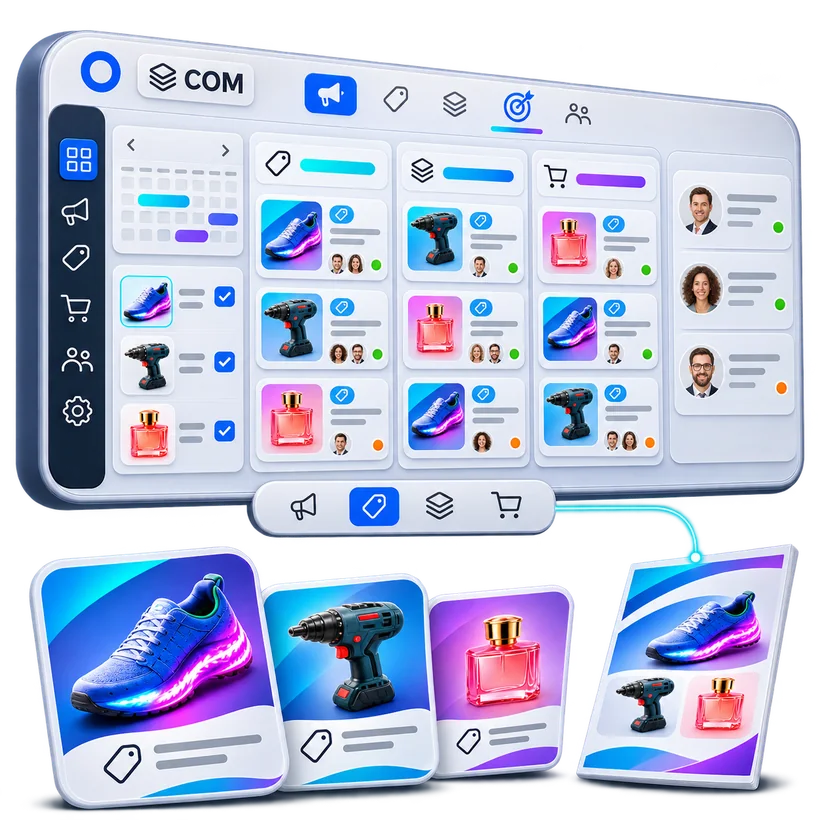
The Campaign Manager organises campaigns, operations, products, offers and contributors before they are turned into media

The starting point of your commercial communication

Preparing a campaign takes far more than creating its media. Operations must be defined, products selected, offers built, periods set, markets and targets chosen, and marketing, purchasing, sales and design teams coordinated.

Pimalion’s Campaign Manager structures this information in a shared environment. Each campaign is organised around its operations, products, offers and commercial characteristics.

This content becomes the basis for the publications prepared in the Planner and the Multichannel Publishing tools. Marketing decides what to communicate, Publishing adapts it to each channel: less re-keying, better coordination.

Benefits

  • The commercial action plan in a shared environment
  • A campaign defined once, reused by every medium
  • Products and offers attached to operations, from the PIM and the DAM
  • Periods, markets and targets decided upstream
  • Marketing, purchasing and production working from the same information
  • Multi-banner, multi-brand, from national to local

The Campaign Manager in detail

Seven capabilities to organise your campaigns

From the commercial action plan to local adaptations, what makes the Campaign Manager the shared framework for your commercial decisions.

Your commercial action plan in a shared environment

The commercial action plan is the roadmap for marketing and promotional operations. Yet in many companies it remains scattered across files, calendars, meetings and systems.

The Campaign Manager structures campaigns and operations according to the company’s own logic: periods, themes, product categories, markets, banners or objectives. It becomes the shared reference for the plan, accessible to the people involved, and carries it through to planning and production.

Capabilities

  • Structuring the commercial action plan
  • Creating and organising campaigns
  • Grouping promotional operations
  • Defining commercial periods
  • Organisation by banner or label
  • Product categories involved
  • National campaigns and their adaptations

Key benefit

A shared framework for organising commercial decisions and their operations.

The Pimalion difference

From commercial decision to published media, seamlessly

The Campaign Manager is part of an integrated publishing chain. Campaigns are picked up in the Planner, product data and assets feed the DPS and ART engines, and publications go through proofreading and validation in PAT.

  1. 01

    Define

    The commercial action plan

  2. 02

    Organise

    Campaigns and operations

  3. 03

    Select

    Products and offers

  4. 04

    Prepare

    PIM and DAM content

  5. 05

    Plan

    Publications in the Planner

  6. 06

    Produce

    Media with DPS and ART

  7. 07

    Validate

    Publications in PAT

  8. 08

    Distribute

    On the destination channels

Campaign Manager: what do we want to communicate?

The Campaign Manager defines the content of campaigns: operations, offers, products, periods, markets and targets. It sets the commercial substance, once.

  • Campaigns and operations
  • Products and offers
  • Periods, markets and targets

Planner: where, when and how?

The Planner organises publications: media, editions, formats, languages, channels, dates and statuses. The same campaign becomes flyers, catalogues, posters, POS, emailing and digital media.

  • Media and editions
  • Formats, languages and channels
  • Dates and statuses

From national to local

National campaigns serve as the basis for adaptations for banners, stores and members, with Publishing and the local marketing portals, depending on the modules activated.

  • Pooled content
  • Adaptations by entity
  • Dealer portals

A campaign defined once, several publications organised from the same information.

Business uses

Campaigns suited to each sector

From weekly promotions in food retail to agencies’ multi-client campaigns, one framework to organise commercial activity.

Food retail

Weekly campaigns, promotional operations and offers for flyers, posters and digital communication. Example: CARREFOUR.

Value
Intense promotional activity, organised across several banners.

DIY and garden

Seasonal campaigns, product selection, commercial offers and production of flyers and catalogues. Example: MR. BRICOLAGE.

Value
Operations and publications coordinated across a very wide range.

Professional distribution

Campaigns for professionals, commercial offers and operations shared across or specific to networks.

Value
The commercial actions of buying groups and distributors, structured.

Buying groups and networks

Shared campaigns reused in personalised publications for members or points of sale.

Value
Pooled national operations, tailored adaptations.

Communication agencies

Campaigns for several advertisers, with separate content, calendars and operations. Example: TOUCH AGENCY.

Value
Better coordinated multi-client processes.

Multi-brand distribution

Campaigns and promotions for several brands, managed in a shared environment.

Value
Pooled tools, without losing each brand’s identity.

FAQ

Frequently asked questions about the Campaign Manager

Another question? Ask it during a personalised demo.

Book a demo
What is the Campaign Manager for?

To structure commercial campaigns and operations, with their products, offers, periods, markets and targets, and prepare their use in publications.

What is the difference between the Campaign Manager and the Planner?

The Campaign Manager defines the commercial content of campaigns. The Planner organises publications: media, editions, formats, languages, channels and dates.

Does the Campaign Manager replace Excel for the commercial action plan?

It can centralise and structure a large share of the plan’s information. The exact scope depends on your needs and the chosen configuration.

Can products be linked to campaigns?

Yes. Products and offers are attached to operations, based on the information in the PIM.

Can we work across several banners?

Yes. The Pimalion ecosystem supports multi-label organisations and content tailored to different markets and banners.

Can we prepare multichannel campaigns?

Yes. Content organised in the Campaign Manager is picked up by the Planner and the Publishing tools to produce the different media.

Can flyers be created directly in the Campaign Manager?

The Campaign Manager prepares the commercial content. Planning, layout and flyer generation rely on the Planner, DPS and ART, depending on the configured process.

Can proofreading and validation be managed?

Commercial information and publications fit into collaborative processes. Proofreading and validation of pages are handled in particular by PAT.

Can national and local operations be organised?

Yes, in combination with the Publishing tools and the local marketing portals suited to the network.

Does the Campaign Manager replace a project management tool?

No. It specialises in organising campaigns and commercial content. Advanced task or project management features depend on the chosen scope.

Does the module calculate promotion ROI?

The Campaign Manager organises campaigns, not their financial performance. Objectives, forecasts, margins and ROI require specific features or analytics integrations, to be assessed for each project.

Take the next step

See Pimalion with your own data.

A tailored demo: your catalogue, your flyers, your channels. 45 to 60 minutes.

  • With your data

    Your catalogue, your media

  • 45 to 60 minutes

    Prepared for your business

  • A clear quote

    Only the offers you need