

Dealer Portal · À la carte catalogue
Every dealer builds its own catalogue. In ten steps.
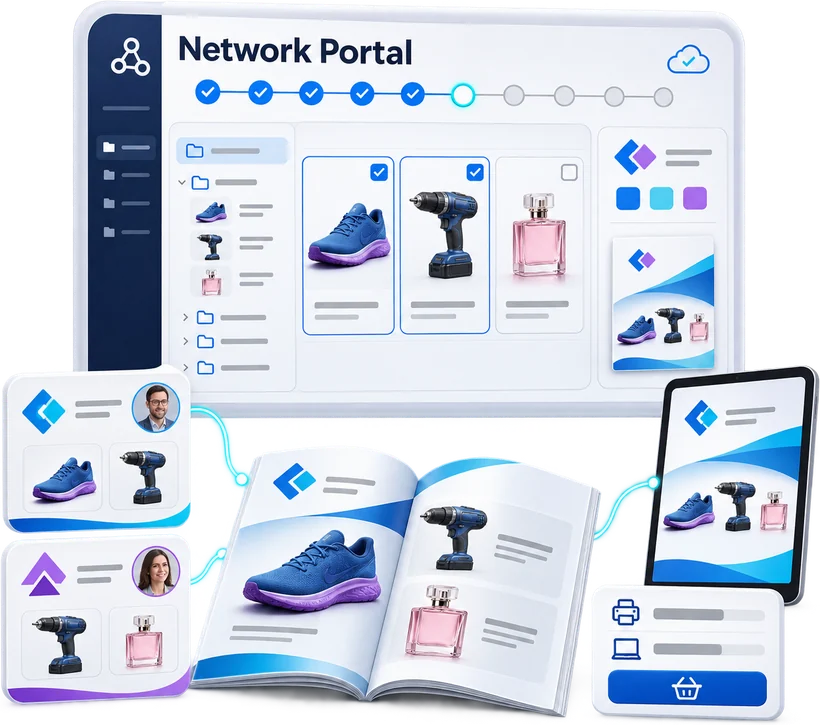
Dealers start from the buying group's repository: suppliers, brands, families, products. They keep what they sell, brand it in their own colours, choose their media and place their order. Every step is saved as they go, so they can stop and pick up again whenever they like.
-
10
guided steps, from range to order
-
5
usage modes: print catalogue, web catalogue, quotes, campaigns and QR access
-
0
Excel files swapped with the agency
The journey
The buying group's catalogue, matched to each dealer's range.
- 01
Suppliers
Switch suppliers on or off, or keep only some of their brands. Suppliers mandated by the buying group stay locked.
- 02
Families
Select by brand and family, with the product count shown every time.
- 03
Products
Remove SKUs, add out-of-scope ones, tweak a product record. Pages are recalculated.
- 04
Preview
The flatplan range by range, and a proof PDF in one click.
- 05
Outputs
Printed catalogue, web catalogue, quote request, campaign pages, print-to-digital bridge.
- 06
Branding
Cover, company page, back cover, terms and conditions, solution pages. Template or supplied document.
- 07
Settings
Print run, price display, UTM tagging or Google Tag Manager for the digital version.
- 08
Order
Contact, delivery, invoicing. The complete configuration goes to the agency.
In practice · 01
Pick up where you left off
The home screen shows the current step and how much of the journey is complete. One button is all it takes to carry on.

In practice · 02
The buying group's framework, the dealer's freedom
Head office mandates its key suppliers. The dealer chooses everything else, right down to the product.
In practice · 03
Figures that move with every choice
Products selected, SKUs, brands, estimated pages: every decision shows up immediately.

Next steps · Roadmap
From printed catalogue to product marketing platform.
Print remains a channel, but no longer the only one. Product data validated once feeds the web, campaigns, quote requests and product selection, without recreating content for each medium.
Dynamic web catalogue
Not a flipbook: browse by universe, family, range and brand, with search, attribute filters and complete product pages.
Personalised per dealer
Their range, identity, outlets and calls to action. A central foundation, a local sales tool.
Landing pages and campaigns
Pages dedicated to a brand, range or promotion, as destinations for emailings, QR codes and social media.
Quote requests and leads
Visitors pick products, describe their project, and the request reaches the right dealer.
Project configurators
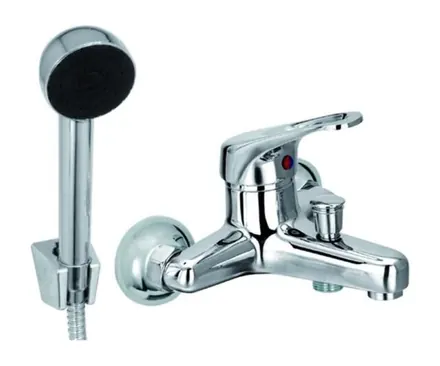
Bathroom, heating, flooring: a few questions, and compatible products are suggested.
Search and AI assistant
Needs expressed in plain language, answers limited to the dealer’s validated products. For end customers and sales reps alike.
Product comparison
Several references side by side, in a consistent table.
From print to digital
QR codes per page, range or product, leading to manuals, videos, updates, comparison and quotes.
Analytics
Products viewed, searches, downloads, quotes generated, performance per dealer.
A five-phase roadmap
- 1
Phase 1
Digital foundation
Move beyond the flipbook
A web version of the catalogue that is genuinely usable.
- 2
Phase 2
Conversion
Turn audience into opportunities
Measurable lead generation.
- 3
Phase 3
Selection help
Make choosing products easier
A more useful experience for customers and sales reps.
- 4
Phase 4
Intelligence
Make the most of rich data
A digital advisor built on Pimalion data.
- 5
Phase 5
Content Factory
Industrialise multichannel
A permanent product marketing platform.
There is no need to launch everything at once: the first goal is a web catalogue personalised per dealer, with search, filters, analytics and quote requests. The rest builds on the same foundation, without touching existing print.
Features
And also
Out of scope, no detours
A dealer can pull a product from anywhere in the repository, even from a brand it has not selected.
Branded in its own colours
Ready-made templates or a supplied document, page by page: title, tagline, edition year, logo, store contact details.
One catalogue, many outputs
The same selection feeds the printed catalogue, the web version, quote requests and print-to-digital QR codes.
A complete order, not an email
Print run, prices, tagging, contact details: the agency receives a ready-to-use configuration and a summary PDF.
Take the next step
See Pimalion with your own data.
A tailored demo: your catalogue, your flyers, your channels. 45 to 60 minutes.
-
With your data
Your catalogue, your media
-
45 to 60 minutes
Prepared for your business
-
A clear quote
Only the offers you need