

Platform · Dashboards
Every team sees what matters to them.
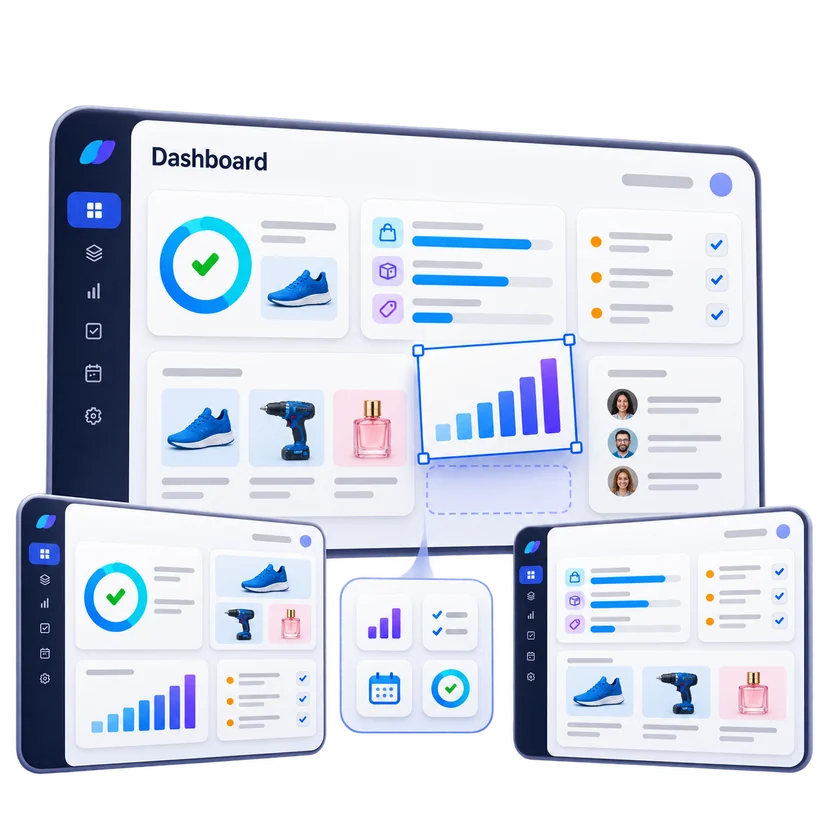
Modular dashboards made of generic or custom-built widgets. Data quality, publication progress, pending approvals, campaigns: everyone assembles their own cockpit, with no export and no spreadsheet.
Why a dashboard
Data and publishing, steered at a glance.
Dozens of people work between product data and published media. The dashboard brings together what each of them needs to know and do, the moment they open Pimalion.
See everything, in one place
Record completeness, missing media, pages to approve, running campaigns: indicators come straight from the PIM, DAM, Planner and PAT.
Know where to start
Widgets highlight what is blocked and what is urgent, and every figure opens the list behind it.
Always up to date
Figures are computed on platform data: no export, no spreadsheet to reload every Monday.
One dashboard per role
Marketing, studio, data management, management, suppliers or network: everyone sees their priorities, within their rights.
Widgets
Generic to get started, custom to go further.
01
Generic widgets
A ready-to-use library to add, move and resize.
- Counters and key indicators
- Record completeness and quality
- Publication and campaign progress
- Pending approvals and delays
- Recent activity and history
- Operations calendar
- Filtered lists and shortcuts
02
Custom widgets
Built by Pimalion Studio for your business indicators, then added to the library like any other widget.
- Your KPIs: margin, coverage, sales, budgets
- Data from your systems: ERP, e-commerce, retail media
- Quality rules specific to your organisation
- Views by banner, market, store or supplier
- Alerts and thresholds you define
- Charts and visuals in your brand style
- Direct links to your existing tools and reports
What you gain
A cockpit sized to your organisation.
Modular
Each dashboard is made of independent widgets: add, remove or rearrange without breaking anything.
Personalised
By role, team or person. The same repository, a different view depending on what each person steers.
Actionable
A widget is more than a number: it leads to the records, pages or approvals concerned.
Scalable
Start with generic widgets, add custom ones when a need arises.
Shared
Reference dashboards defined by the organisation, which everyone can complete their own way.
Secure
Each widget respects user rights and multi-label separation.
By role
One dashboard, very different uses.
How it works
Build your dashboard in a few minutes.
- 1
Choose
Start from a role template, or from a blank page.
- 2
Add
Pick widgets from the library, generic or custom.
- 3
Configure
Filter each widget: brand, family, channel, campaign, period.
- 4
Arrange
Move and resize widgets, save, share.
Take the next step
See your dashboard with your own data.
A tailored demo: your catalogue, your flyers, your channels. 45 to 60 minutes.
-
With your data
Your catalogue, your media
-
45 to 60 minutes
Prepared for your business
-
A clear quote
Only the offers you need